mirror of
https://github.com/wahyd4/home-docker.git
synced 2026-08-09 04:15:52 +10:00

healthdata_influx
Imports Apple Health Data into InfluxDB.
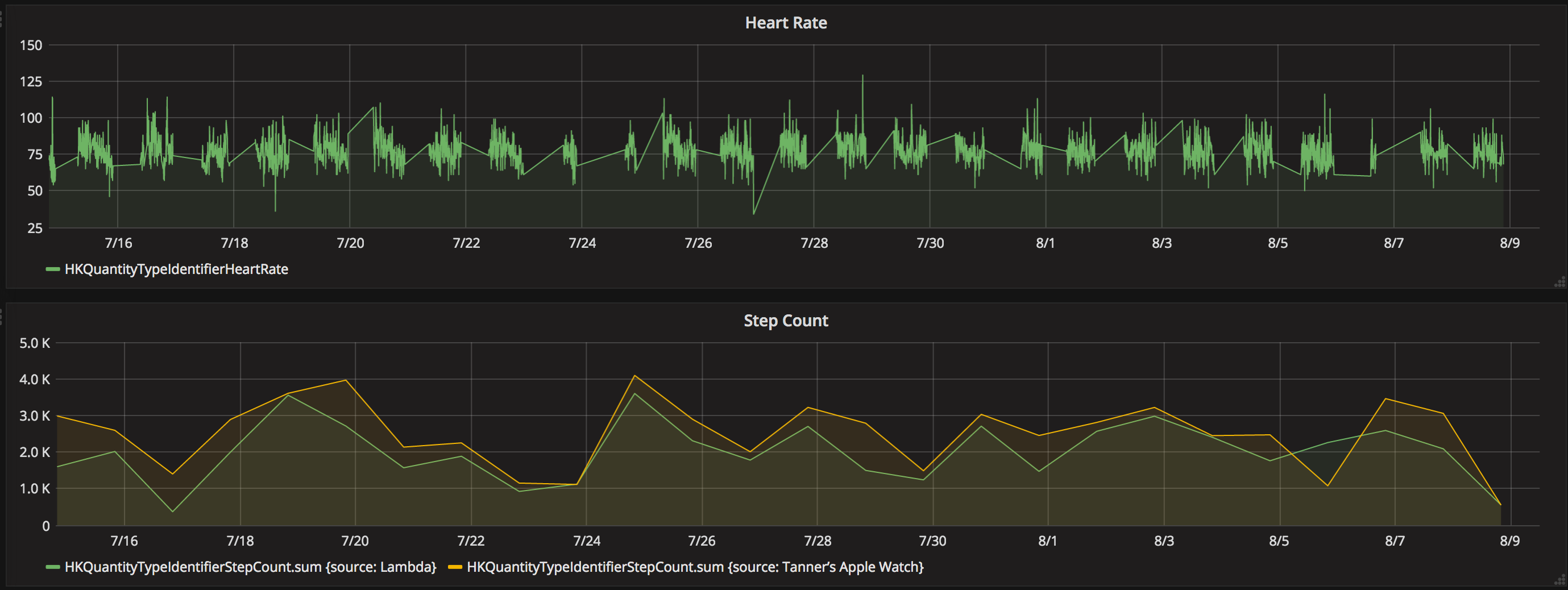 Visualizing InfluxDB using Grafana.
How to export iOS Health Data
- Go to the Health App
- Tap the profile image at the top right
- Tap "Export Health Data"
- Save the
export.zipfile and extract its XML contents (export.xml) somewhere accessible by this script.
Running as a complete service with Docker Compose (bonus Grafana Graphs!)
This is the easiest way to get up and running quickly. This will spin up the importer, an InfluxDB database, and Grafana with a default dashboard ready to go.
Requirements:
- Docker with Docker Compose
Installation:
- Create a
datadirectory at the project root and add theexport.xmlinside it
Building:
docker-compose build
Running:
docker-compose up(add-dto run in daemon mode)- Access Grafana in your web browser: http://localhost:3000
Username: admin Password: admin
Refreshing data:
- Replace
data/export.xmlwith a new version docker-compose run importer
Running as a Python module or stand-alone script.
Requirements:
Installation:
pip install -r requirements.txt- Rename
config_sample.ymltoconfig.yml
Configuration:
- Edit
config.ymlto match your InfluxDB settings (host, auth, etc.)
Usage:
- Export Health Data from iOS device
python3 import.py export.xml
See also:
python import.py --help
Running as a stand-alone Docker container
Requirements:
Installation:
- Create a
datadirectory at the repo root and add theexport.xmlinside it.- (note that this can be anywhere if the volume mount point on the
docker runcommand is changed)
- (note that this can be anywhere if the volume mount point on the
Configuration:
- Edit
config.ymlto match your InfluxDB settings (host, auth, etc.)
Building:
docker build . -t twstokes/healthdata_influx
Running (at the repo root):
docker run -v $PWD/data:/data:ro -v $PWD/config.yml:/app/config.yml:ro twstokes/healthdata_influx
Todo / Notes:
- Does not support "Mindful Sessions"