mirror of
https://github.com/wahyd4/knowledge.git
synced 2026-08-09 05:06:28 +10:00

2.1 KiB
2.1 KiB
AWS
- EC2
- EC2 container
- Cloudfront
- S3
- RDS
CI
- Jenkins
- Gitlab CI
- Travis
Linux
- ssh
- IP table
- Cron job
- ps aux
- tail
- nohup
- df -h
- free
- Tips
- Change timezone
- TZ=Asia/Shanghai;ln -snf /usr/share/zoneinfo/$TZ /etc/localtime
- Check release
- cat /etc/*-release
- Change timezone
- Packages
- htop
- like top, but more
- mosh
- auto reconnect ssh
- htop
Everything is code
- Infrastructure as code
- CI config as code
- Dockerfile
CD
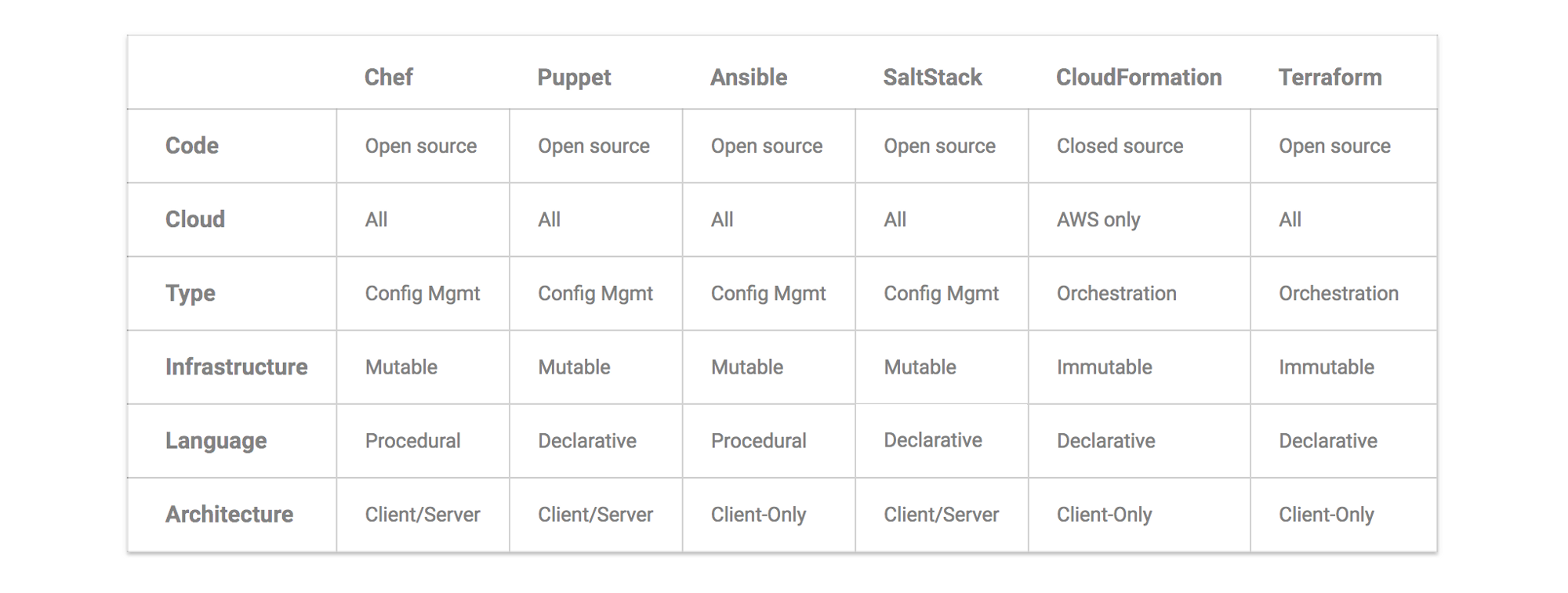
Capistrano
Ansible
Puppet
Terraform
Terraform use a declarative language to describe the current state of infrastructure, and there is no server side agent installed.
Basic steps
# go to the folder which stores the environment credentials
terraform init # Initialize a new or existing Terraform working directory by creating initial files, loading any remote state, downloading modules, etc.
terraform get # Downloads and installs modules that defined by configuration files
terraform plan # Kind of try run, you will what kind of changes you will have
terraform apply # Apply changes to cluster
HA High Availability
- LB - haproxy
- Keepalived -- vrrp
- Nginx + Keepalived
- Heartbeat
Network
- IP
- Private IP Addresses
- 10.0.0.0 – 10.255.255.255
- 172.16.0.0 – 172.31.255.255
- 192.168.0.0 – 192.168.255.255
- Private IP Addresses
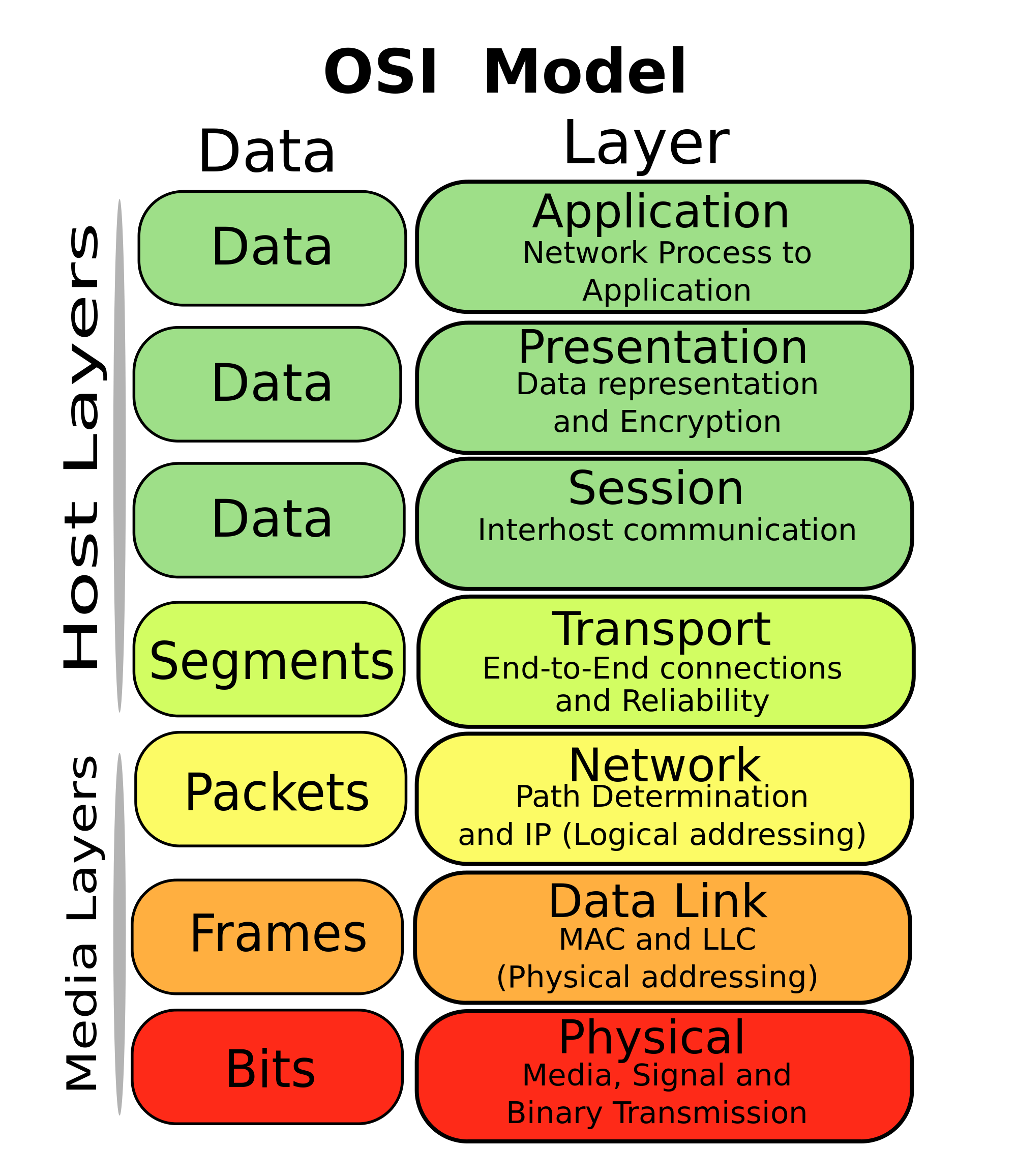
OSI Model( 7 layers network)
tools
- git
-
cherrypick
-
rebase
-
commit
-
checkout
- checkout -b br com
-
push
- --tags
- push tags
- —all
- push all branchs
- -f
- force push
- --tags
-
branch -d xx
- delete a local branch
-
remote
- show xxx
- show info of a remote branch
- add xxx
- add a remote repo
- show xxx
-
branch
- list all the branchs
-
mv Rename/move files and folder with git history records
e.g. git mv -k ./a/b ./c/d option
kwould avoid the "can not move directory into itself" error.
-
- oh-my-zsh
- IDE/tools
- Intellij
- vscode