
2.7 KiB
HTML
HTTP 2
HTTP server push
HTTP/2 Push allows a web server to send resources to a web browser before the browser gets to request them. It is, for the most part, a performance technique that can help some websites load faster.
HTTP/2 Push is not a mechanism for the server to notify things to the browser. Instead, pushed contents are used by the browser when it may have otherwise produced a request to get the resource anyway. But if the browser does not request the resource, the pushed contents become wasted bandwidth.
Server push some related resource before the browser sends the request. .e.g. Browser request index.html, and then server response with index.html and also take the initiative to push style.css and index.js to frontend.
Frames:
- HEADERS
- PUSH_PROMISE
- DATA
- RST_STREAM
HTTP server-sent events
Links
CSS3
- transition
- transaction
- border-radius
- rgba
- flex
- box-shadow
- svg
CORS
- Nginx proxy
- Server add headers
CDN
- Reduce request amount
- Reduce server network traffic
- Speed up load
Websocket
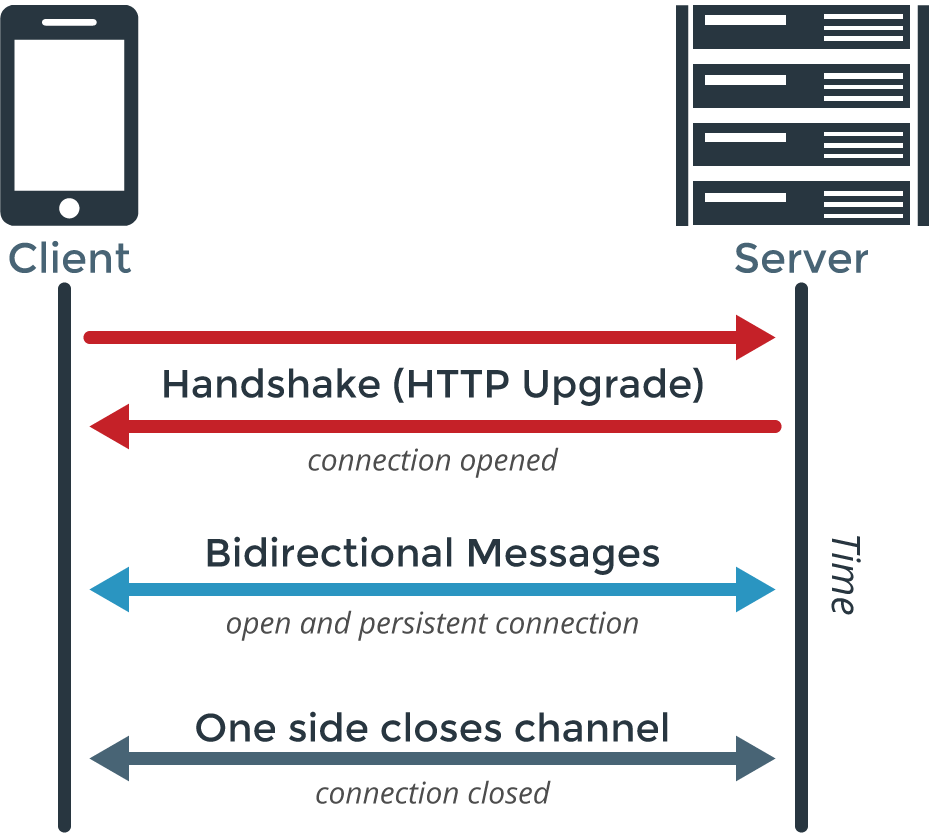
WebSocket is a computer communications protocol, providing full-duplex communication channels over a single TCP connection. The WebSocket protocol was standardized by the IETF as RFC 6455 in 2011, and the WebSocket API in Web IDL is being standardized by the W3C. WebSocket is a different TCP protocol from HTTP.
Frameworks and tools
- Pusher
- Socket.IO
- Pubnub
How Websocket works
json-schema
- Describe data format
- Clear, machine and human readable
- Complete structure validation
Auth Related
- session
- store session_id in cookie, server side has a map in memory
- JWT Token
- expire
- cookie
- local storage
Browser
How browser works?
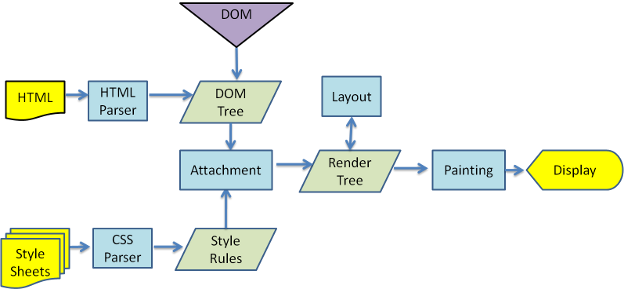
How browser render web page
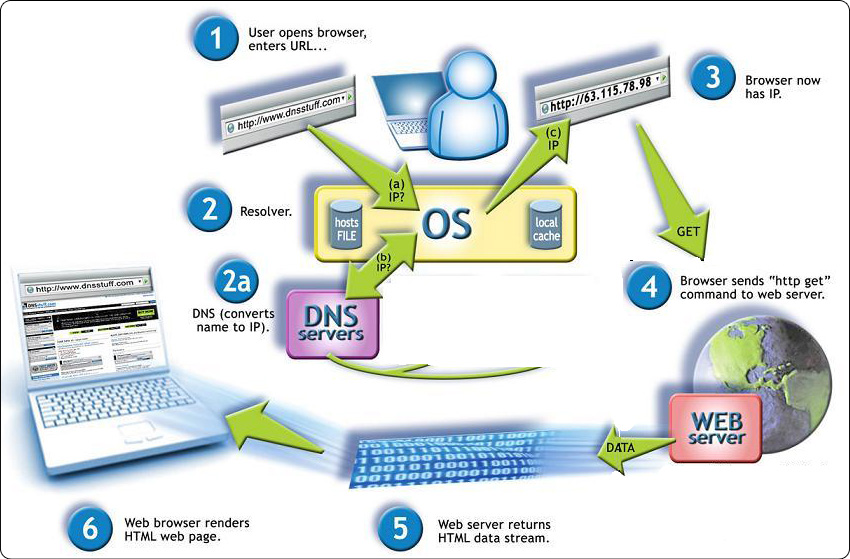
The flow diagram when you access a website
CSS
-
tips
- inline element can’t set width, modify the display to inline-block
-
inline element
- i
- span
- a
- image
- label
- input
- button
- textarea
- br